I have seen a few questions in IRC and the forums lately regarding upgrading Ubuntu machines. I thought I would toss out a reminder on the best, supported, methods of upgrading your machine and how to avoid (hopefully) some common pitfalls.
Upgrade Preparation
The first step towards an upgrade is to backup any mission-critical data that you may need. Things like your documents, presentations, homework, etc. I have never had an issue with an installer breaking and losing my data, but its simply just a good idea. I’d hate to not have done the “just-in-case” and look back in regret.
Back up all your data by copying or archiving everything from /home/username, including those hidden folders. This will include your personal files and personal configuration and settings.
Upgrade Requirements
It is worth pointing out that two things are required before you’ll be able to cleanly upgrade your machine.
- Your machine is completely up to date on its current release.
- You understand that upgrading is only supporting between single releases or LTS to LTS releases. (ie; 7.04 -> 7.10 -> 8.04 is OK, 6.06 -> 8.04 is OK)
Once you understand these simple requirements you’re ready to begin.
Upgrading Your Machine
I have outlined upgrade steps in the past, which you may want to refer to for further details (a lot of feedback in the comments section), and I’ll also review them here.
No matter the version you are currently using you can be automagically offered an upgrade by using the Update Manager tool. This tool can be found via “System > Administration > Update Manager” or via launching it by way of the Run Application Dialog:
ALT+F2 "update-manager"
As mentioned above you need to make sure your machine is up to date on its current release before you’ll be offered the new version. Do this by clicking “Check” to check for any available updates.
Apply all available updates (these should not normally be delayed, very rarely do updates cause any breakages).
Repeat the update process until you are notified that a new release is available. You’ll see something similar to this:
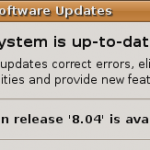
If you are still on a previous version of Ubuntu the “available release” may vary, of course.
Remember, if you are upgrading from Ubuntu 7.10 you can upgrade directly to the latest release of 8.04. If you are using anything previous to that you’ll need to repeat these steps for each release until you arrive at 8.04. Yes, this might take some time if you are very far behind.
If you are using Ubuntu 6.06 you should be notified that 8.04 is available and you can upgrade directly.
What about kernel updates within the same rev (-16, -17, -18, -19…)? Is there any special prep, are there any pitfalls, for that?
I’m having problems with the LUKS whole-disk encryption (well, not /boot, obviously). It works fine on -16, but none of the updates (it acts like my password is wrong).
You may want to add in there a mention about xorg.conf. I jumped on the 8.04 upgrade when it first came out but had to go back to 7.10 because of video driver issues and I had forgotten to make a backup of my xorg.conf that I had spent quite a bit of time customizing for my dual displays
why when i upgrade my ubuntu v8.04 this messege open
E: Type ‘open() failed, please report.
E: Type ‘open() failed, please report.