Last week Aaron asked me if I knew the reason behind the latest kernel update, or if I knew where to find the changelog. I poked around a bit and found that Aptitude, the command-line package management tool, has a changelog option. If you’d like to see the changelog for a package before you update, or even after you’ve updated, you can do so with Aptitude.
Viewing the Changelog From The Terminal
Taking a look at the changelog for a package can be done at the command line by using:
aptitude changelog <packagename>
This only works for officially supported packages, so it’ll complain if you try it against something from a PPA, but this still covers quite a few packages. So, if you’ve ever wondered the reason behind the update, you can check out the changelog and take a look!
Viewing the Changelog From Synaptic
The same functionality is available within Synaptic as well. Navigate to:
“System > Administration > Synaptic Package Manager”
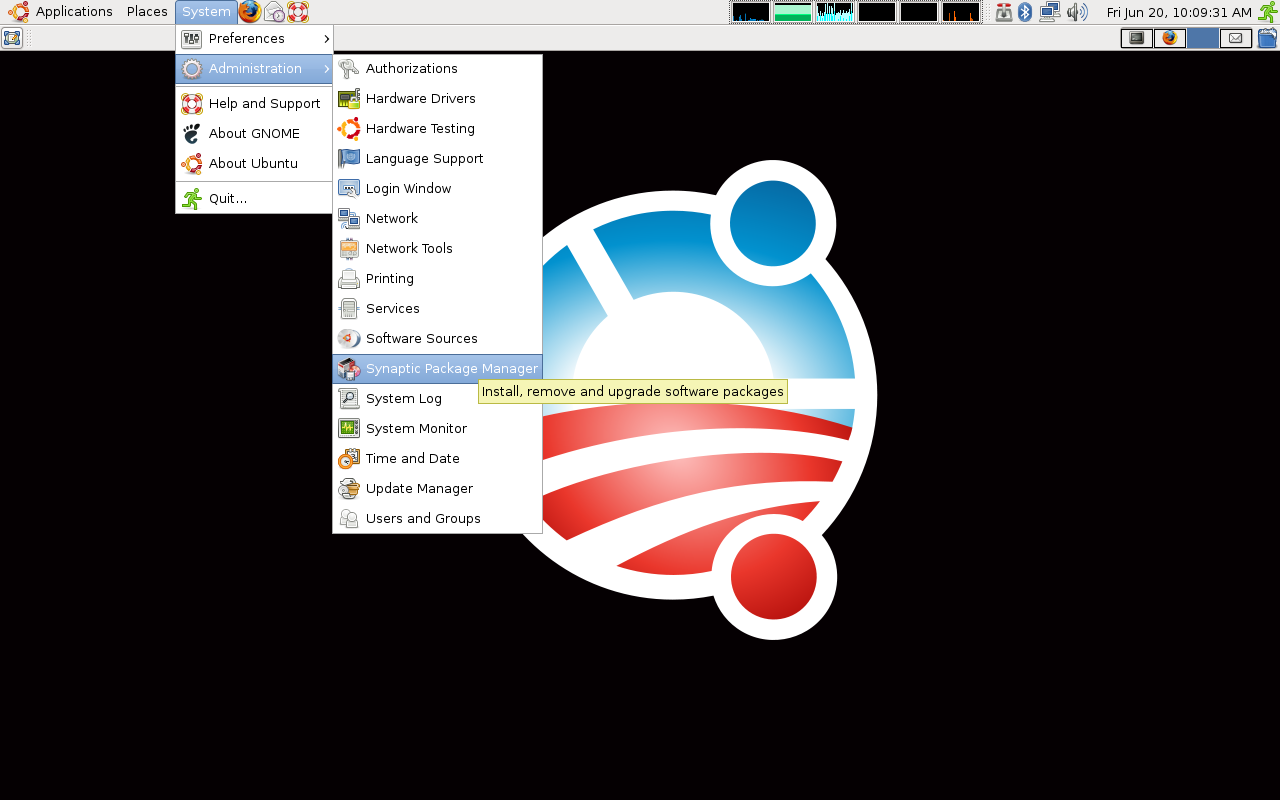
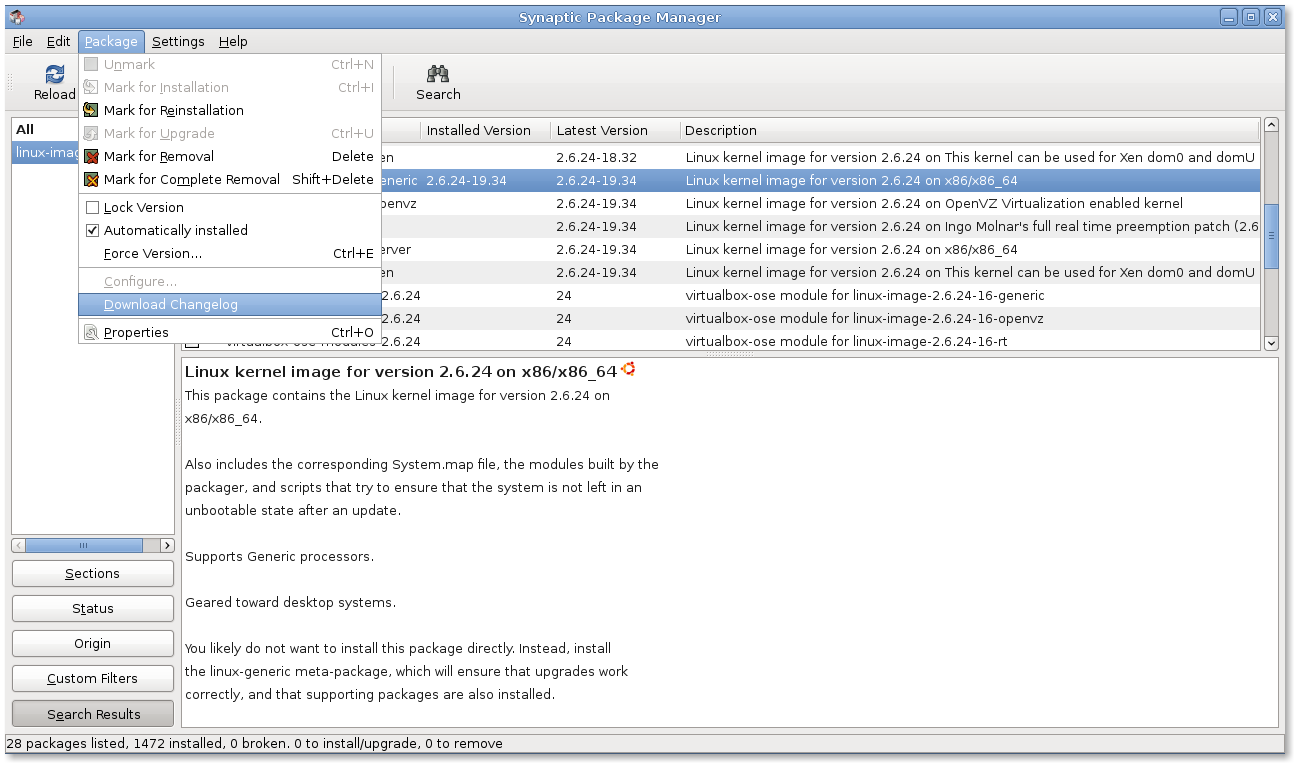
Find the package you’re interested in using the “Search” button and then select “Package > Download Changelog” from the Synaptic File menu.
I would LOVE to have your Ubuntu/Obama background wallpaper. Can you share a link to it, or send me an email with it attached?
Cool thanks for the tip
@Torgodevil – the wallpaper graphics are available on a thread from Ubuntu Forums. See this link to download.
To see a description of all available updates, I create for myself the following alias:
alias updatesinfo=’aptitude changelog $(sudo aptitude search ~U | cut -c 5- | cut -d” ” -f1)’
apt-listchanges is more useful, IMO. You have to download the packages first, but it doesn’t care where they come from, and you get logs of changes mailed to you.