Archive

Posts Tagged ‘mozilla’

Install Mozilla Firefox Web Browser v3.6 on Ubuntu 9.10
January 21st, 2010 5 comments

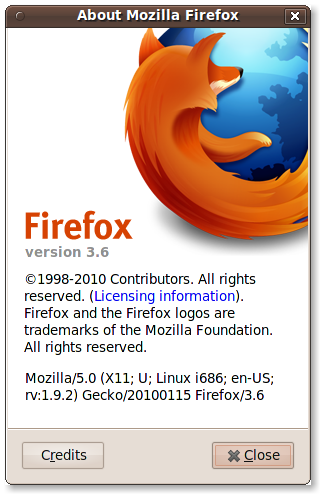
Today Mozilla has released the latest version of their flagship Web Browser, Firefox v3.6. This release brings a number of enhancements as well as bug fixes. In this article I will outline how to manually install the latest Mozilla Firefox release alongside your existing, packaged, version. The latest version will be the default, but it will still be possible to manually launch the previous version.

Requirements

To manually install the latest Mozilla Firefox we’ll need to download the release archive. You can do that from the Mozilla website using the link below:

Download the archive and save it to your Downloads folder.

Installation

Manual installation takes a few steps, but nothing is too complicated. Simply copy / paste the commands below into your Terminal (Applications > Accessories > Terminal) and you’ll be up and running in no time!

sudo tar -C /opt/ -xf ~/Downloads/firefox-*.tar.bz2
sudo ln -s /opt/firefox/firefox /usr/local/bin/firefox

Running Mozilla Firefox 3.6

To start up the latest Firefox, first make sure you close any existing Firefox instances, then restart it from the Menu or panel. The re-launched Firefox should be the manually installed version. Your existing settings should be intact, but beware that some of your plugins may not function as expected. Until the plugin developers have verified them for the 3.6 release, they may be listed as incompatible.

Troubleshooting

I have opened a thread in the Ubuntu Tutorials Forum for troubleshooting the Firefox 3.6 release. If you have issues, or would like to help other users resolve their issues, please stop by.

Categories: Internet Tags: ,

Install Adobe Acrobat Plugins For Firefox

June 25th, 2008 8 comments

I recently blogged about installing the Adobe Acrobat Reader on Ubuntu 8.04.  For those that followed that tutorial you may also be interested in adding the Firefox plugins for Adobe Reader as well.  These will also require the Medibuntu repository, which I’ll review quickly here.

Configuring the Medibuntu Repository

sudo wget http://www.medibuntu.org/sources.list.d/hardy.list -O /etc/apt/sources.list.d/medibuntu.list

sudo apt-get update && sudo apt-get install medibuntu-keyring && sudo apt-get update

Installing the Mozilla Acroread Plugins

sudo apt-get install mozilla-acroread acroread-plugins

The acroread-plugins package will provide support for completion of fillable forms and javascript.  The mozilla-acroread package will provide support for mozilla, firefox, galeon and konqueror.

Enjoy!

Mozilla Firefox Easter Eggs

June 13th, 2008 13 comments

I ran into some Mozilla Firefox easter eggs this afternoon.  Do you have any more that I don’t know about?

Visit these addresses in Firefox 3:

about:mozilla
about:robots

Also some other interesting things to find:

about:config
about:cache
about:credits
about:license
about:buildconfig

(Reference to the “warranty” is a warning message and I’m sure its a joke.  Refer here to previous warning messages prior to this one.)

Categories: Internet Tags: , , ,