Archive

Posts Tagged ‘search’

Ubuntu 10.04 To Change Firefox Default Search Provider
January 26th, 2010 13 comments

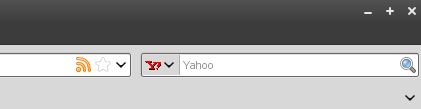
Those of you that follow the Ubuntu development mailing lists may have already come across this news, but it has been announced that Ubuntu will change the default search provider in Firefox from Google to Yahoo!. This is based on a revenue sharing agreement between Canonical and Yahoo!, allowing Canonical to continue to support the infrastructure required to continue to develop the distribution.

With this change, whatever your search bar default is will also match your default start page. If your search default is Google, your start page will be Google. If it is set to Yahoo!, your start page will also be Yahoo!.

Personally, I like the idea of Canonical continuing in its goal of becoming a profitable, successful business. More money for Canonical means more developers, which means continued improvements and stability.

On the other hand, it has been years since I’ve used anything other than Google for web searches. It think it would feel very foreign to use something else.

Perhaps I’ll change my default search to Yahoo! for the rest of the week, just to see what the change will be like.

What do you think about this change? Will you change your default search back to Google? Stick with Yahoo! and help support Canonical? Use a different browser altogether?

Ubuntu Tutorials Search Plugin

October 25th, 2008 1 comment

I got an email this morning from a thankful reader who had taken the time to generate a true FF/IE7 search plugin for Ubuntu Tutorials.  After chatting about it a bit we took it one step further and added code to automagically add the search plugin to the browser of those that are interested.

If you would like to add Ubuntu Tutorials to your quick-search menu simply visit the site and then click your quick-search dropdown.  You shoud be prompted with a new menu item allowing you to add “Ubuntu Tutorials Search” to your search menu.  Once you’ve done that you can immediately start directly searching this site for all your tutorial needs.

Categories: Web Development Tags: , ,

Create Smart Keyword Search for Ubuntu Tutorials

July 15th, 2008 7 comments

I have been trying to come up with some more ways to make this site and the content more helpful for the community.  In my searching for new “features” I came across the Firefox feature of “Smart Keyword Search”.  This post is two part.  One, I’ll outline how to create a Smart Keyword Search item in Firefox specifically for this site and second create Smart Keyword Searches for any website.  This will allow you to quickly and easily search this sites contents anytime you need instruction on a topic!

Smart Keyword Search for Ubuntu Tutorials

To create a Smart Keyword Search for this site you’ll need to first right-click on the blog search field.  The search field is found on the top left above the Donate button.

add a smart keyword search in firefox

The resulting window will ask for a name and a keyword.  The name is just for your use, allowing you to organize multiple keyword searches.  The keyword field is the keyword you’ll need to use to quick-search the site.  In the example below I used “Ubuntu Tutorials Search” for the Name and “ut” for the keyword.

smart keyword search - add bookmark

Click “Add” to save the changes.  You can now quick-search this site for whatever it is you’re looking for by entering “ut <search term>” in your address bar.  To search for posts related to vmware, for example, you’d use:

ut vmware

Searching can be done from any tab, so you don’t even need to pull up the site first.  Quickly find the tutorials you need, simply and easily.

These steps work for any search form you can find on the web.  Right-click, “Add a Keyword for this Search…”, enter the keyword, and you’re done.

Categories: Internet Tags: , ,