With Ubuntu 8.04 being the second LTS (Long Term Support) release it is also possible to upgrade from LTS to LTS releases. This means upgrading Ubuntu 6.06 to Ubuntu 8.04. I have tested this in a previous post, “Dapper 6.06 to Hardy 8.04 Direct Server Upgrade“, which you might also be interested in (that post is regarding the Server and not the Desktop release.)
Upgrading via Update Manager
Step 1: It is suggested that you make sure your BIOS is up-to-date before you try such an upgrade. This is based on some changes in the latest kernel releases which can conflict with older BIOS firmware.
Step 2: You’ll need to make sure that the dapper-updates software channel is activated. (See my previous post linked above for an example of which repositories can/should be enabled.)
Step 3: Press Alt-F2 and type
gksu "update-manager"
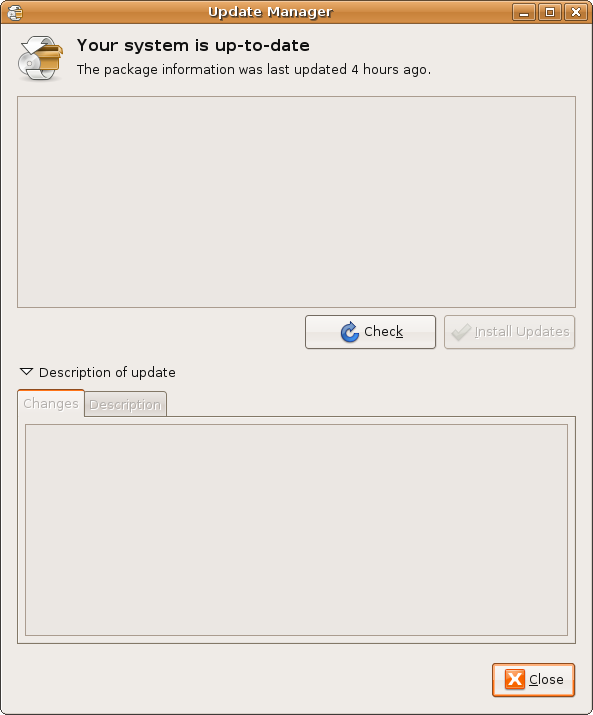
Step 4: Click the Check button to check for new updates.
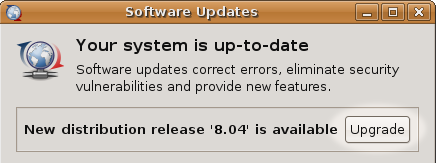
Step 5: A message will appear informing you of the availability of the new release.
Step 6: Click Upgrade
Step 7: Follow the instructions as the Update Manager utility will walk you through each step of the upgrade. You will still have a chance to back out after clicking Upgrade if you feel you’re not yet ready.
For more information and other information from the Wiki see: Upgrade Notes
I can’t get to the update button but have a ubuntu 8.04 ISO CD. How can I install 8.04 in the partition currently occupied buy 6.06
Just wondering – can you upgrade from 6.10 server to 8.04 server?
@SaumZ – upgrades to 8.04 can be done from Ubuntu 6.06 or Ubuntu 7.10 directly. If you’re on 6.10 I would suggest 1) a fresh install of 8.04 or upgrading step-by-step to 7.04, 7.10 and then 8.04.
Well, that does nothing for me. I have been trying to cope with this Hardy disruption for days. I am pretty angry. Thanks for trying though.
I think I have an old scuffed-up disk of xubuntu-edgy, what it lacks in auto-focusing timezone selection it more than makes up for by actually working.
No, DON’T use the -d switch! That means check for development releases. You don’t want that.
Also, I’m wondering why you are suggesting for people to run a command, rather than just using System -> Administration -> Update Manager
???
Heron wasn’t offered for me. It suggested I go the step by step method to Edgy first.